A lone figure walking toward ruined monoliths under an amber sky.

For you

Filmmakers

You can see the shot. You can describe it. Single-model tools can’t make it. Work with tunable, multimodal nodes until the frame matches what you imagined.

See what’s been made

Storyboards, stills, and animated takes made on Melius

A card dealer in a smoky backroom.

Supercharge your workflow

Lock the look in stills, then animate it shot by shot from first and last frames

Compare takes across video models side by side, then trim and cut them together on the canvas

Two people’s shadows on a shared canvas, with teammates’ cursors labelled Jasmine, Jean-Denis, and Ryan.

Built for teams

Your crew and Mel work the same board live

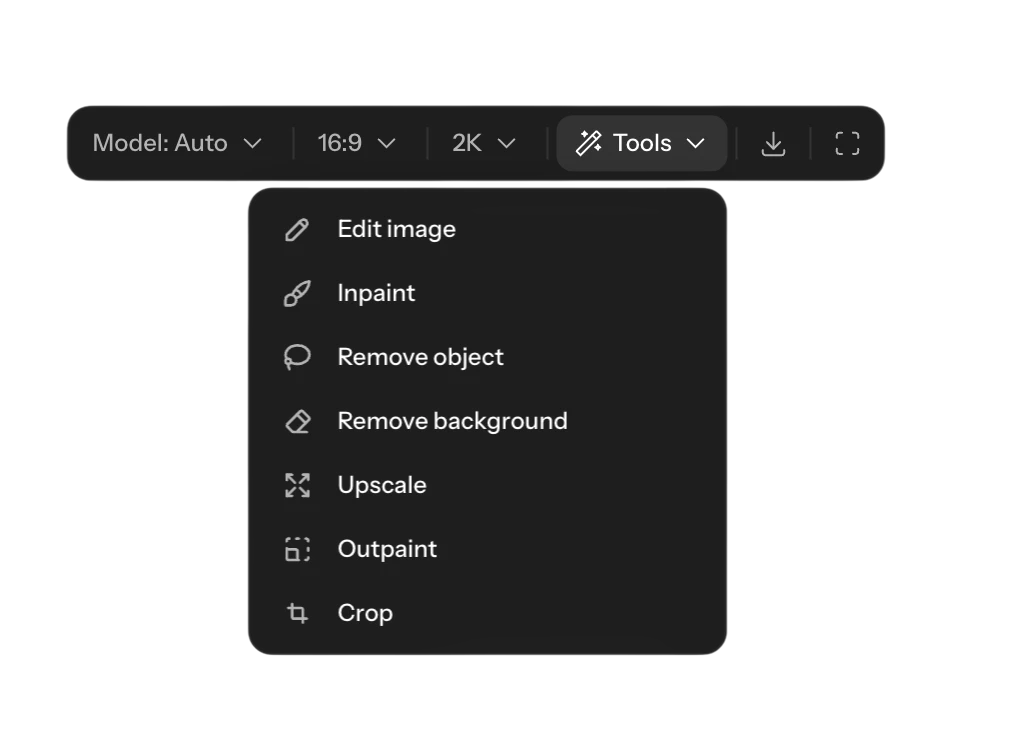
The canvas toolbar’s image menu: edit, inpaint, upscale, crop, and resize.

Tools built in

Inpaint, upscale, crop, and reframe stills without leaving the canvas
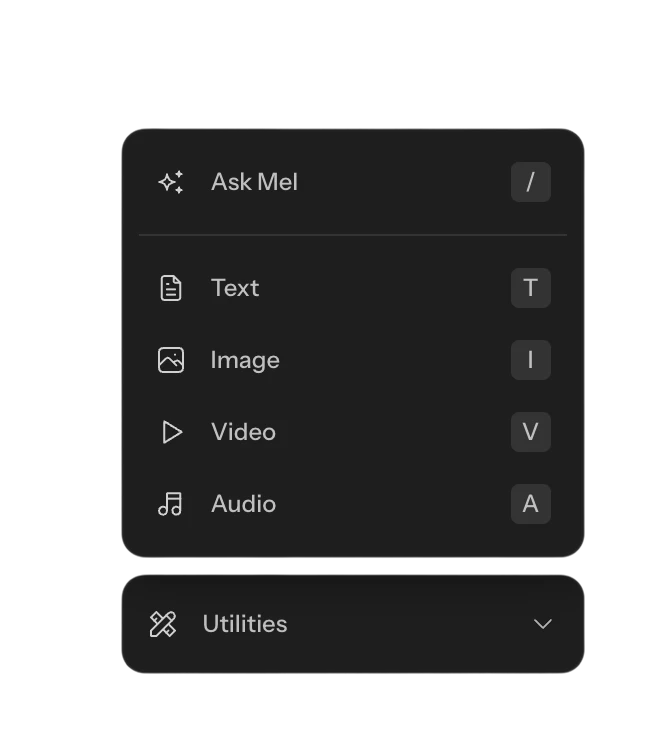
The add-node menu listing text, image, video, and audio nodes.

Every node type

Stills, video, voice, and sound, each on the model you choose
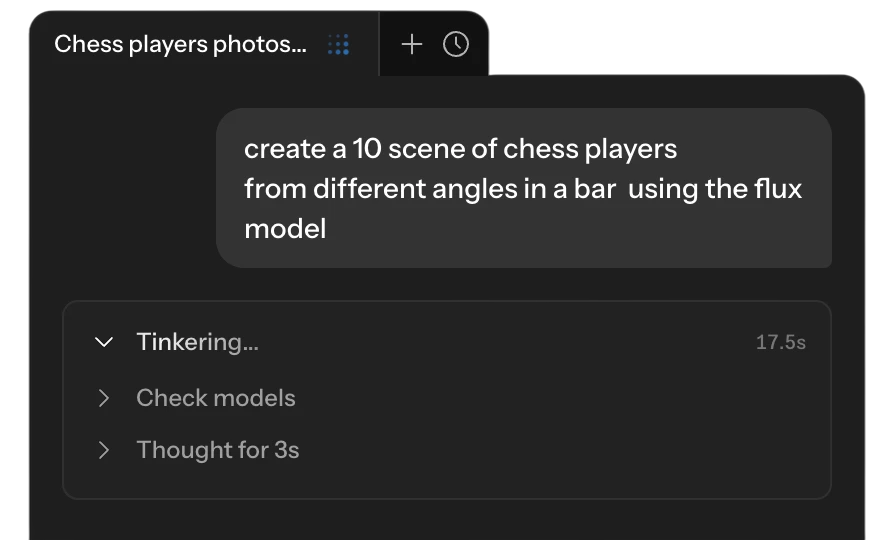
A chat with Mel, the Melius agent, planning the nodes for a request.

Ask Mel

Describe the scene. Mel picks the models and builds the shots

Frequently Asked Questions

How do I keep characters and looks consistent across shots?
Pin character sheets, locations, and style references as nodes and wire them into every shot. Start each clip from a locked still or from first and last frames, so the look carries from storyboard to final take.
Can I edit and assemble clips in Melius?
Yes. Trim clips and lay them out in order on a timeline on the canvas. Re-run any shot and the cut picks up the new take.
How does AI video generation work on Melius?
You start from a text prompt or an existing image, choose a video model or let Mel pick one, and Melius generates the clip. You can guide it with reference images, first and last frames, or input footage, then trim and assemble clips in the built-in video editor.
What AI models does Melius support?
Melius gives you access to a library of leading AI models for image, video, audio, and text. That includes image models like Nano Banana, GPT Image, Flux, Seedream, and Ideogram; video models like Seedance, Veo, and Kling; and audio and voice models like ElevenLabs. The Mel agent can choose the best model for your prompt automatically, or you can pick one yourself.
Who owns the content I create, and can I use it commercially?
You own the content you create on Melius and can use, publish, and distribute it commercially, subject to the underlying model providers’ terms. Melius doesn’t claim ownership of your work and doesn’t use it to train AI models.

Contact Sales

Tell us about your team and what you’re making, and we’ll get back to you with how Melius fits.