October 17, 2026 • 7 Min Read
October 23, 2026 • 8 Min Read
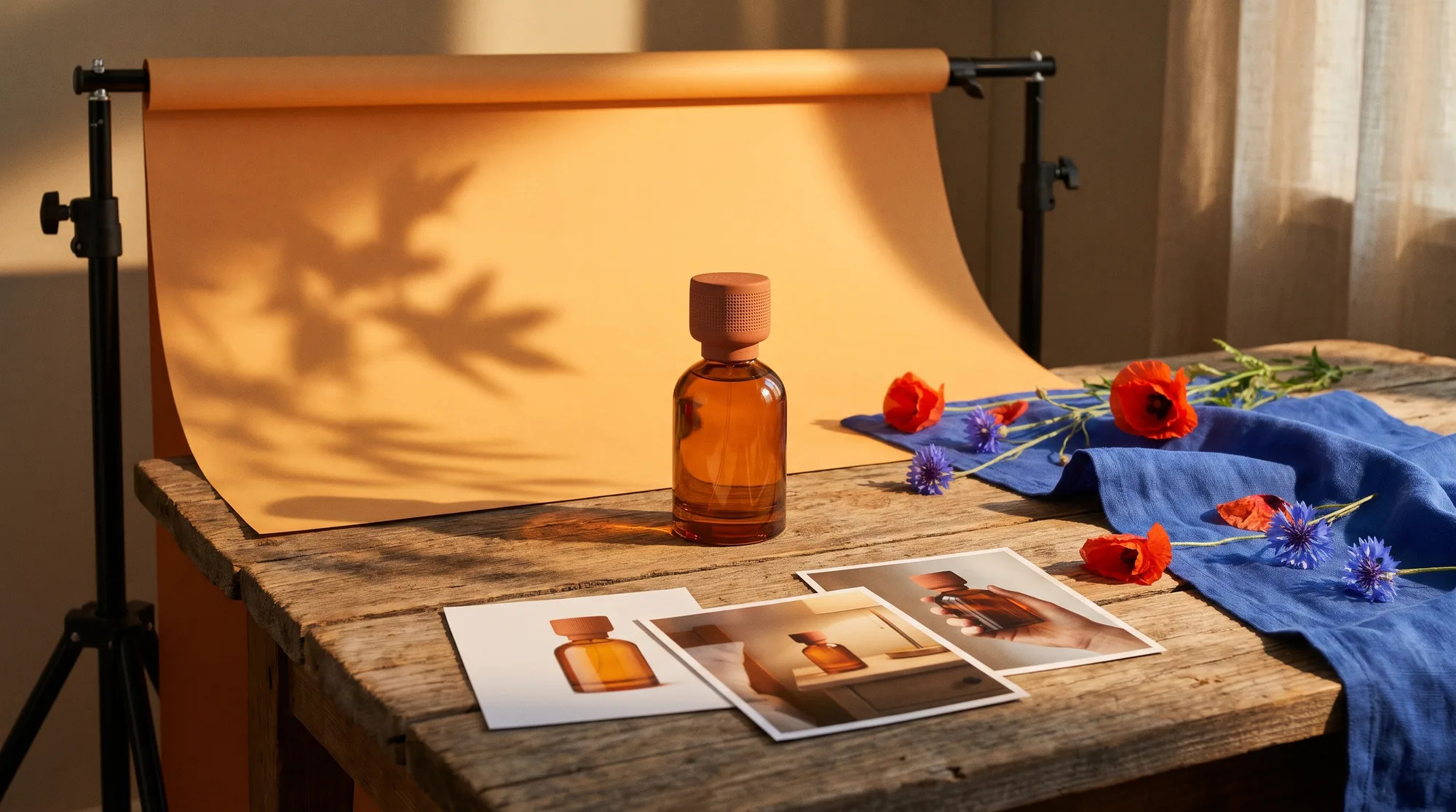
Melius fits teams that want studio, lifestyle and on-model shots built from one product photo in one workflow. Photoroom is built for clean studio packshots at catalog scale, with adjustable AI shadows, Claid.ai's Precise mode keeps a product's shape and angle as photographed, and Photoshop with Firefly suits designers compositing into their own background photos. Pixelcut covers studio, lifestyle and on-model scenes from a phone.
We compared them on whether the product comes through with its shape, color, label and logo unchanged, whether the light on the product matches the new scene, whether the tool goes past plain backdrops to props, hands and models, and how it copes with a full catalog.
A studio shot is the product alone on a plain or seamless backdrop. It's the main image on a marketplace listing, and Amazon requires that image to sit on a pure white background. The work is in the cutout and the shadow: a soft edge around a glass bottle or a product that floats with no contact shadow gives the fake away.
A lifestyle shot puts the product in a setting or in use, such as a candle on a nightstand or a bag on a shoulder. Here the risks move. The model has to get the scale right against the furniture or the hand, keep the label legible at an angle, and light the product the way the room is lit.
Both start from the same input. A sharp, evenly lit photo with the label in focus gives every tool below more to hold on to than a dim shot on a busy table.
Tool | Studio backdrops | Lifestyle scenes | People and models | Catalog scale | Video |
Melius | Generated from a brief, in any style | From a brief, or swapped into a scene you supply | On-model and in-hand shots from reference images | Up to 10 variations per node in parallel; workflows duplicate per product | Image-to-video on models such as Veo 3.1 and Seedance 2.0 |
Photoroom | AI Backgrounds plus adjustable AI Shadows | AI Product Staging | AI Fashion Models | Batches of up to 250 in the app; API for more | Product Video Generator on Max and Ultra |
Claid.ai | Templates for exact, repeatable backdrops | AI Photoshoot with reference images | Held, worn or in use, in Creative mode | API and batch processing | 720p clips with voice and sound |
Photoshop and Firefly | Generate Background | Harmonize into your own background photo | Not a focus | Firefly API composite operations | Through Firefly and partner models |
Pixelcut | Studio scenes up to 4K | Lifestyle scenes or a prompt | On Model format | Bulk editor for backgrounds and shadows | AI UGC talking-video ads |
Melius is the AI-native operating system for creatives, where you brief an AI agent that wires a node-based canvas to generate images, video, and audio. For product photos, you attach a pack shot, paste the link to the product page and describe the shots you need. The Melius agent builds the workflow and runs it, pulling the dimensions, materials and colors from the page into a text node so the model works from the product's real dimensions.
What it does well: One photo and one brief to the agent feeds a whole set, and each shot can run on a different model from our library of leading models: Nano Banana Pro for material and lighting, GPT Image 2.5 where the packaging copy has to stay legible. The Product Swapper template drops your product into a scene you already like. Every node stays editable, so a take that's right apart from the shadow is one prompt change and a rerun.
Trade-off: The canvas shows every node and every take, which is more to take in than a one-click app.
Best for: Brands and e-commerce teams that need studio, lifestyle and on-model images of the same product, made from one brief.
Photoroom was built to replace manual background cutouts and now covers the whole product photo. AI Backgrounds builds a scene from a text prompt or a preset and aligns the angle, lighting and shadows to the product. AI Shadows adds a soft, hard, floating or colored shadow, adjustable for intensity, blur, length and position. AI Product Staging handles lifestyle settings, and AI Fashion Models puts apparel on AI-generated models.
What it does well: Batch editing takes up to 250 images at once in the app, the API handles larger volumes, and a Shopify integration comes with the Max plan and above.
Trade-off: The highest-resolution output sits on the upper tiers. 4K image and video export is on Ultra only, the Product Video Generator starts at Max, and AI Fashion Models export at 1K on Pro.
Best for: Sellers who need clean, matching packshots across a large catalog.
Claid.ai's AI Photoshoot runs in two modes. Precise keeps the product's shape and angle as photographed, and Creative lets the model find new angles and show the product held, worn or in use. Reference images steer the color, angle and atmosphere of a scene, and the older AI Backgrounds templates are still there when a batch needs the identical backdrop every time.
What it does well: Labels and logos. Claid recommends Precise mode at 2MP output to keep small text readable, and the Pro plan raises the upload limits. An API sits alongside the web app for catalog work.
Trade-off: Video is the weaker half. Claid's AI Video, upgraded in September 2026, outputs at 720p, and Claid says fast spins, running and dance are less reliable and detailed hand interactions may take more than one attempt.
Best for: Packaged goods where the label has to come through untouched.
Photoshop's Generate Background replaces the background behind a product with generated content that matches its lighting, shadows and perspective, or with an image or color you supply. Harmonize works the other way round: place the product on any background photo, including one from your own shoot, and it adjusts the product's color, light, shadows and tone to fit. Firefly Image Model 5 and more than 30 partner models, including Nano Banana 2 and Veo 3.1, are available through the same Adobe account.
What it does well: Control. A designer can mask, retouch and layer by hand around the generated parts, and the Firefly API's composite operations bring the same product-into-scene step to automated pipelines.
Trade-off: It assumes Photoshop skills and works one image at a time in the app. Harmonize runs on pixel layers only.
Best for: Designers who want generated scenes with hand-finished compositing.
Pixelcut's Product Studio has Studio scenes for marketplace packshots and Lifestyle scenes for settings, or you can write your own prompt, with controls for angle and background and output up to 4K. The On Model format puts clothing or accessories on an AI model, and Pixelcut treats the uploaded product as the fixed part of the image. A Creative Agent picks the tools for each job, with third-party models such as Nano Banana Pro among them.
What it does well: In one mobile app, a seller can make the packshot, the lifestyle scene, the on-model image and an AI UGC talking-video ad without switching tools, and the bulk editor applies backgrounds and shadows across a batch.
Trade-off: The Pro plan caps batch exports at 1,000 a month, which a large catalog can outgrow.
Best for: Small sellers shooting on a phone who want every product format in one app.
For shots with a hand in frame, see our guide to product-in-hand photos with AI. To turn the finished stills into motion, see our comparison of AI product video generators for e-commerce.
Have a product photo and a shot list? Start with Melius for e-commerce and brief Mel with both.
October 17, 2026 • 7 Min Read
October 17, 2026 • 12 Min Read

October 15, 2026 • 9 Min Read