October 13, 2026 • 8 Min Read
October 14, 2026 • 8 Min Read
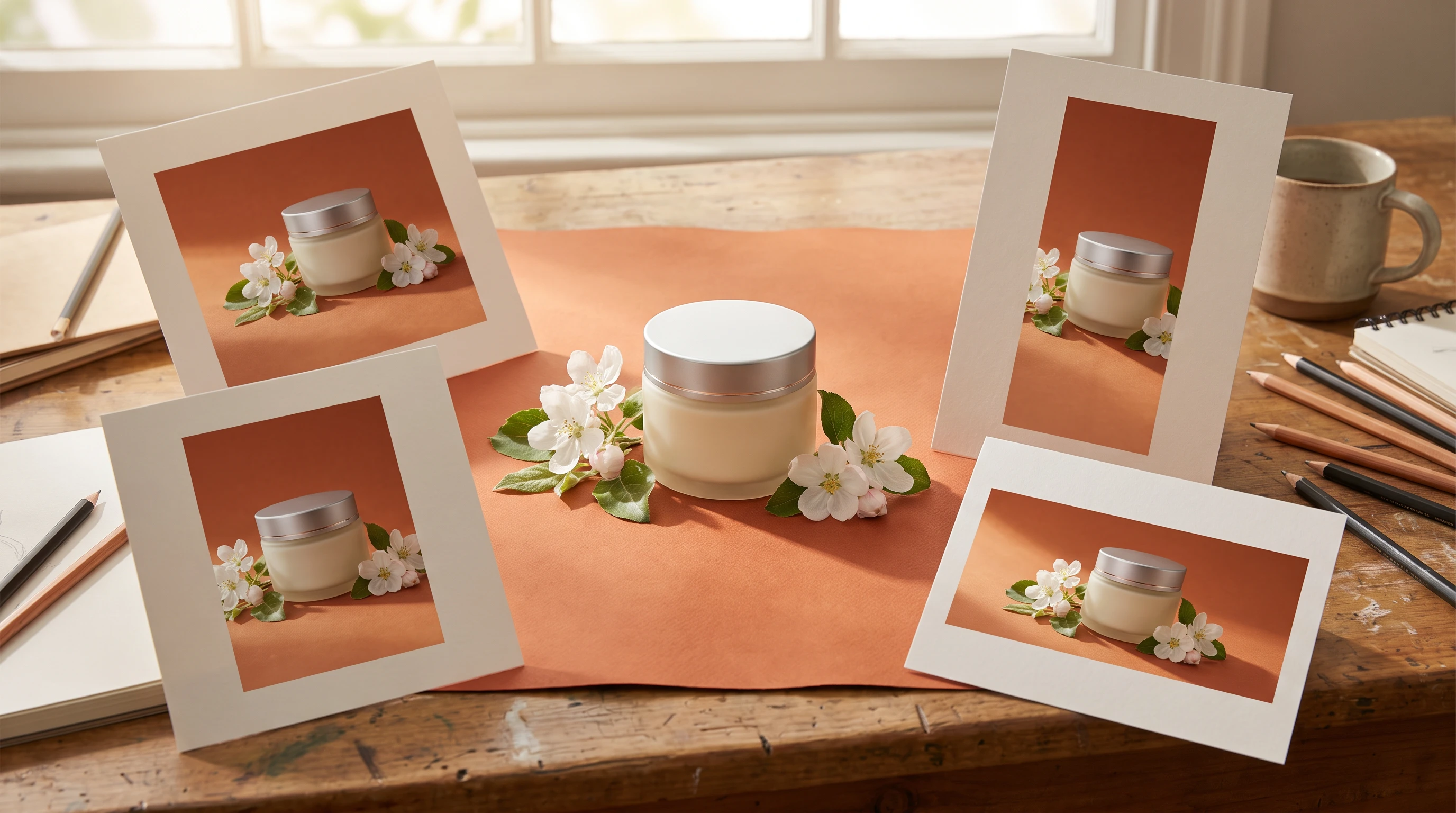
To resize an ad with AI, you give a finished image or video to a tool that re-composes it for each aspect ratio you need, rather than cropping it, so the product, the copy and the logo stay inside the new frame. On Melius, Magic Resize does this for images in one click: pick the ratios, run it, and a properly composed version appears for each one. For video, you set the ratio on the video node and generate each format from the same brief.
Every paid placement wants its own shape. Instagram Stories and Reels are vertical, Facebook and Instagram feeds favor 4:5, YouTube in-stream is widescreen, and LinkedIn and Google display lean on 1.91:1. One ad becomes five or six files, and doing that by hand is the kind of work that eats an afternoon without adding anything creative to the ad.
Cropping keeps the original composition and cuts it down to the new shape. When going from a square to a vertical story, you lose the sides. When going from vertical to widescreen, you lose the top and bottom. Subjects get clipped at the edge, headlines lose their first or last word, and the product slides out of the frame. Meta's Advantage+ creative can also adjust an ad's aspect ratio automatically when you don't supply a format for each placement.
An AI resize treats the new ratio as a new layout. It moves the subject, repositions the copy and generates new background where the frame grows, so each version looks designed for its placement. That's the difference the term "generative expand" points at, and it's why an AI resize can go from square to 16:9 without leaving bars or an awkward zoom.
The ratios and sizes each platform recommends in its own ad specs, as of October 2026. Where a platform lists several, the first is its recommended format.
Placement | Aspect ratio | Recommended size |
Facebook and Instagram feed | 4:5 | 1440 x 1800 |
Instagram Stories and Reels | 9:16 | 1440 x 2560 |
TikTok in-feed | 9:16 (also 1:1 and 16:9) | At least 540 x 960 |
YouTube in-stream video | 16:9 (also 9:16 and 1:1) | 1920 x 1080 |
YouTube Shorts | 9:16 | 1080 x 1920 |
LinkedIn single image | 1.91:1, 1:1 or 4:5 | 1200 x 628, 1200 x 1200, 720 x 900 |
Pinterest standard pin | 2:3 | 1000 x 1500 |
Google Performance Max images | 1.91:1, 1:1 or 4:5 | 1200 x 628, 1200 x 1200, 960 x 1200 |
X image ads | 1:1, 4:5 or 1.91:1 | 1080 x 1080, 1440 x 1800, 2064 x 1080 |
LinkedIn serves its 4:5 vertical images on mobile only. YouTube Shorts accepts horizontal video, but shows it with blurred bars above and below.
These are the steps from our resize for channels recipe. Start from a finished ad: resizing a draft locks in compositional choices you might still want to change.
For a brand look carried across a set of statics, see how to make a static ad from a style reference.
When you have a set of finished ads rather than one, brief Mel, the Melius agent, instead of resizing each by hand. The brief fits in one line: take every image node in the "winners" group and run Magic Resize on each, generating 1:1, 4:5 and 9:16 versions of all of them. The agent queues every resize job in parallel.
Pick only the ratios you actually run. Eight ratios on one ad is a little wasted time, while eight ratios on each ad in a 50-variant test is a lot of it. Teams on the API or the mel command-line tool can call the same resize from their own scripts.
A video ad is harder to resize than an image, because the composition moves. An editor's auto reframe, such as the one in Premiere Pro or CapCut, detects the main action and reframes each shot around it, which works when the action stays near the center. It still cuts the frame down, so a product held at the edge of a widescreen frame can fall out of a vertical one.
A 16:9 frame and a 9:16 story sometimes need entirely different shot composition, not the same shot reflowed, so we recommend generating each from the same brief. In practice that means one brief, one set of references and several video nodes, each set to the ratio its placement needs. Select the video nodes together and change Aspect ratio once in Generation settings to set them all; the change applies to the next generation, so existing clips keep their dimensions. For the wider test workflow, see our guide to AI video ad creative variants.
If you already have a vertical clip you like, its starting frame can carry the look across. Resize that frame as an image, then use each version as the starting frame of a new video node at the matching ratio, with the same motion prompt.
The common options split by format, as of October 2026. For images, Canva's resize, which its help center calls Magic Resize and its video page calls Magic Switch, reflows a design into a new format, and Canva's Magic Expand and Adobe's Generative Expand in Firefly and Photoshop extend a photo beyond its frame. For video, Adobe Express's video resize scales a clip to a social preset, while Premiere Pro and CapCut offer Auto Reframe, which detects the main action and reframes it for each ratio.
Most of these are one step inside a larger editor. The difference on Melius is that the resize sits next to the generation that made the ad: the brief, references and brand anchor are on the same canvas, so a version that needs regenerating instead of resizing is one node away.
Melius is the AI-native operating system for creatives, built on a node-based canvas. Each ad, reference and set of resized versions is a node connected back to its source, so a fix to the original carries forward and every ratio stays traceable to the ad it came from.
You brief Mel to resize a whole test set then review every version before it ships. Each node is editable, so you can make changes to individual steps rather than recreate the entire ad. Generation, editing and resizing run on one subscription across a library of leading models. Resizing sits alongside variants, localization and animated statics on Melius for marketers.
You own the content you create on Melius and can use, publish, and distribute it commercially, subject to the underlying model providers' terms. Melius doesn't claim ownership of your work and doesn't use it to train AI models.
October 13, 2026 • 8 Min Read
October 12, 2026 • 8 Min Read
October 6, 2026 • 2 Min Read